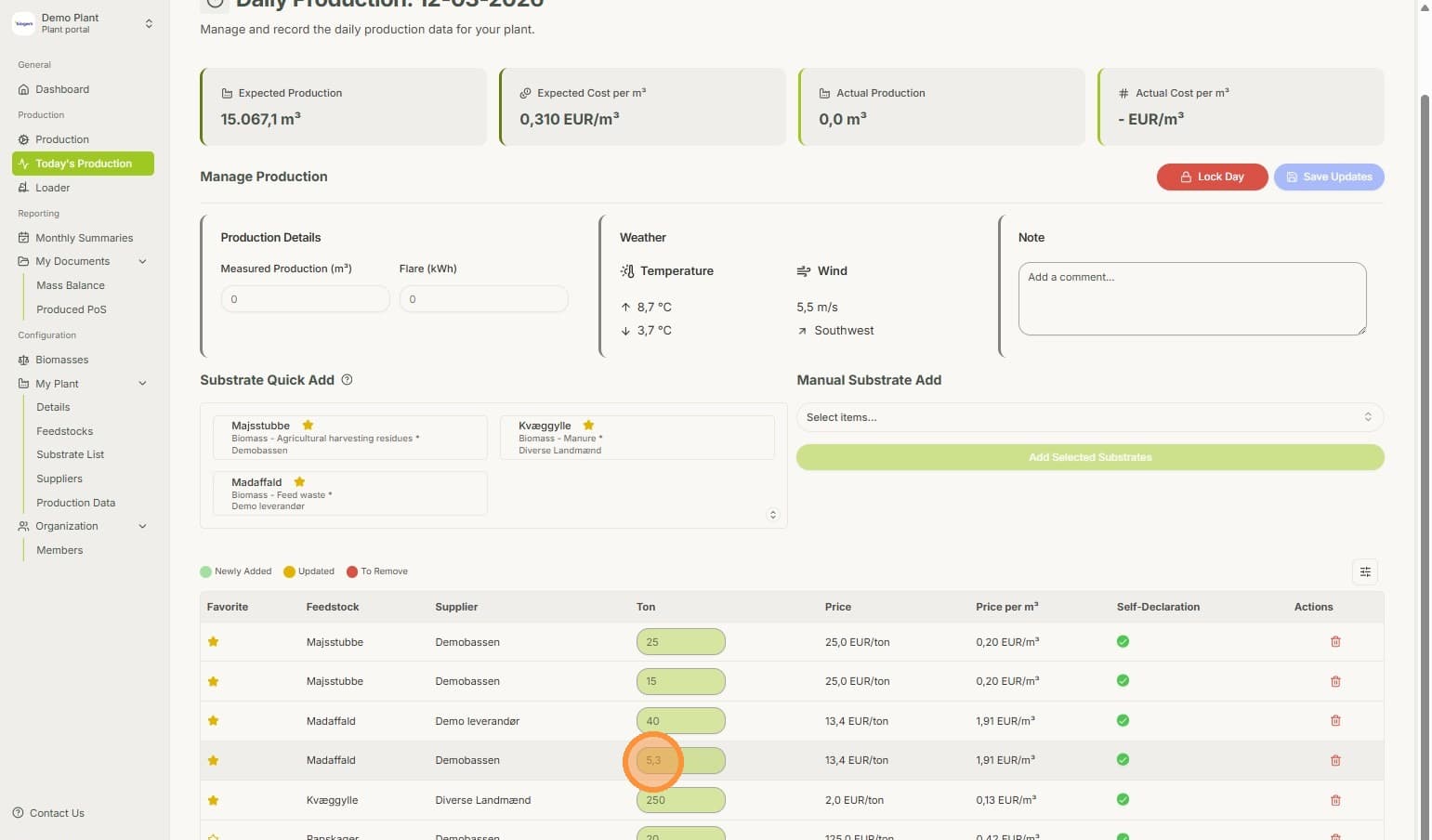
Add Daily Production Data directly from the Loader
Temporary Description
While your loader measures the weight of the substrate you put into the plant, you can already add it straight to your daily production targets.
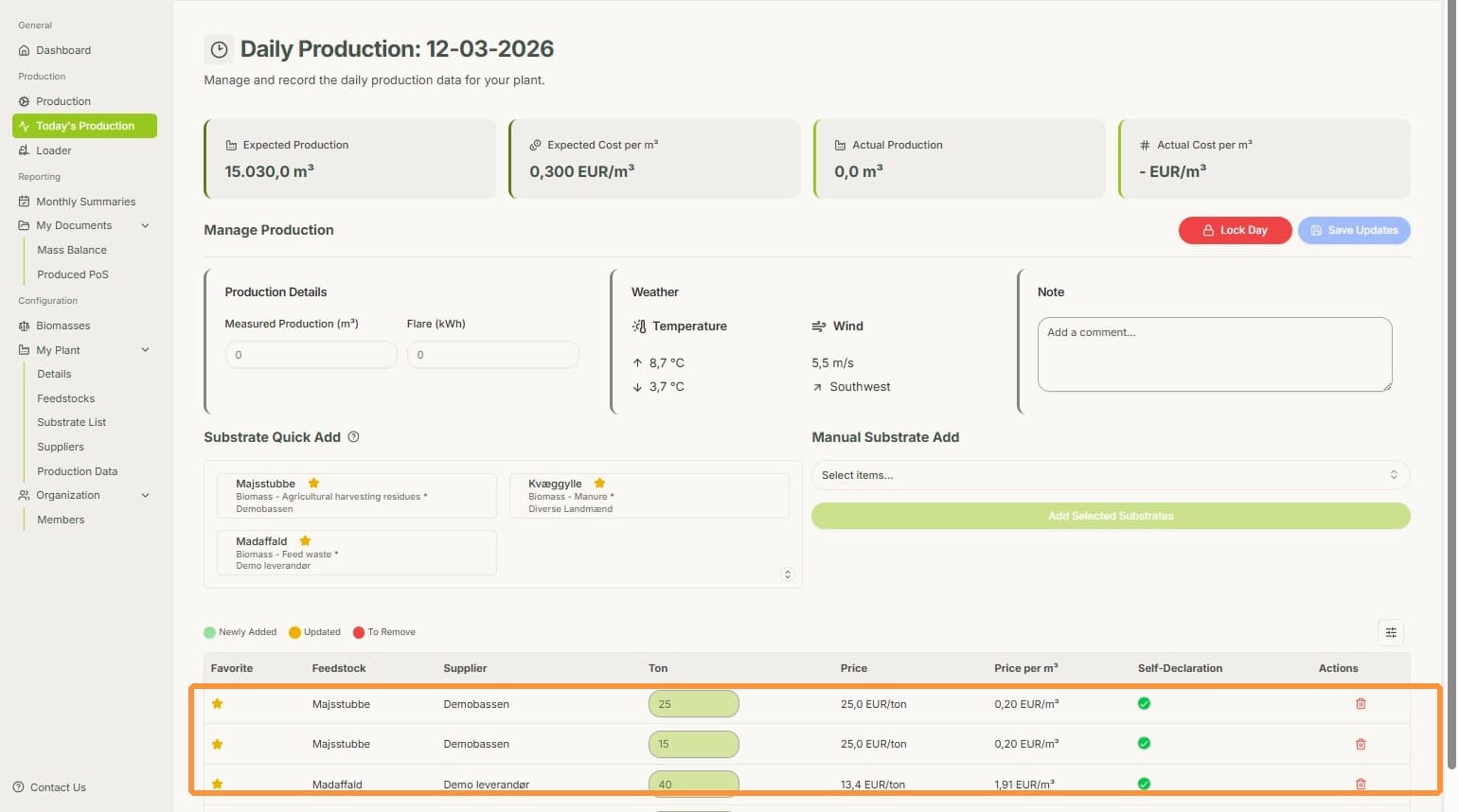
1. On the Daily Production overview, you can see how much Feedstock is associated to the current day.
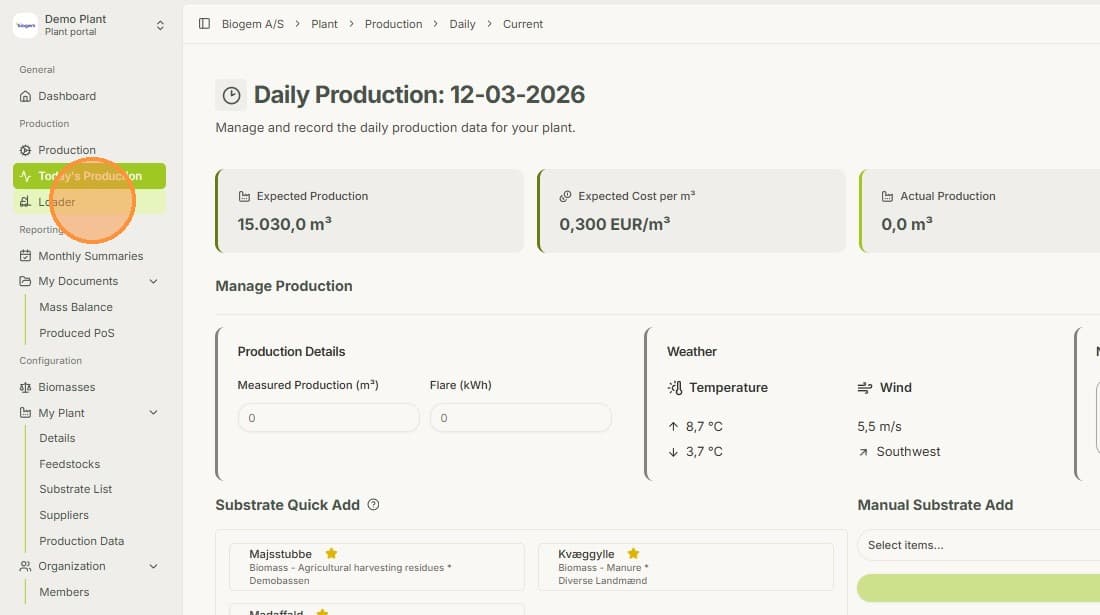
2. Now, when you load new substrates in the reactor, simply click on the "Loader" field.
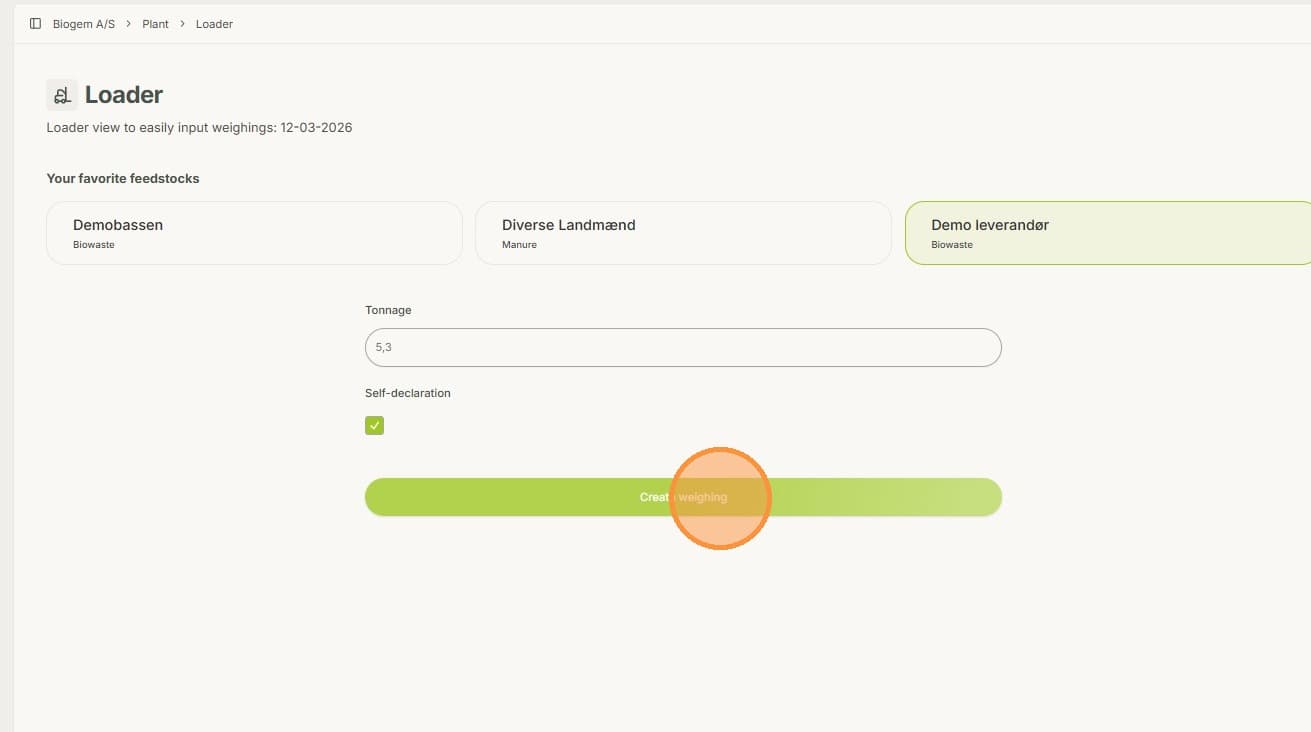
3. Now, while on the "Loader" page, choose the desired feedstock and enter the weight measured by the loader. The feedstocks shown are the ones you have set to favorites. See "Set feedstocks to favorites" for a guide on how to do this.
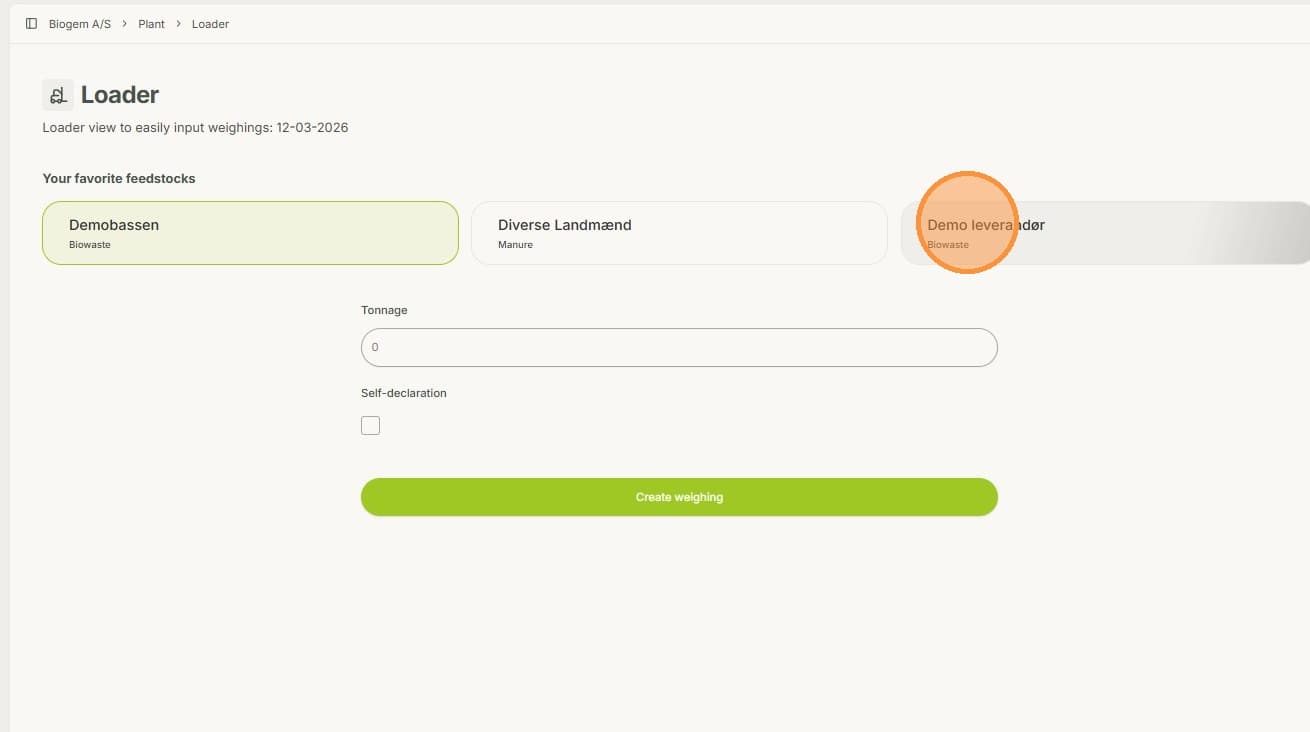
4. Select whether the feedstock is part of a self declaration or not. Then create the weight entry.
5. Now, when you look into "Daily Production", you can see that the Feedstock has been added.