How to lock a production month and create a mass balance
Temporary Description
How to lock a production month and create a mass balance
Note: once a month has been locked, it can not be unlocked again.
1. Navigate to your Production calendar. Select the month which you want to lock.
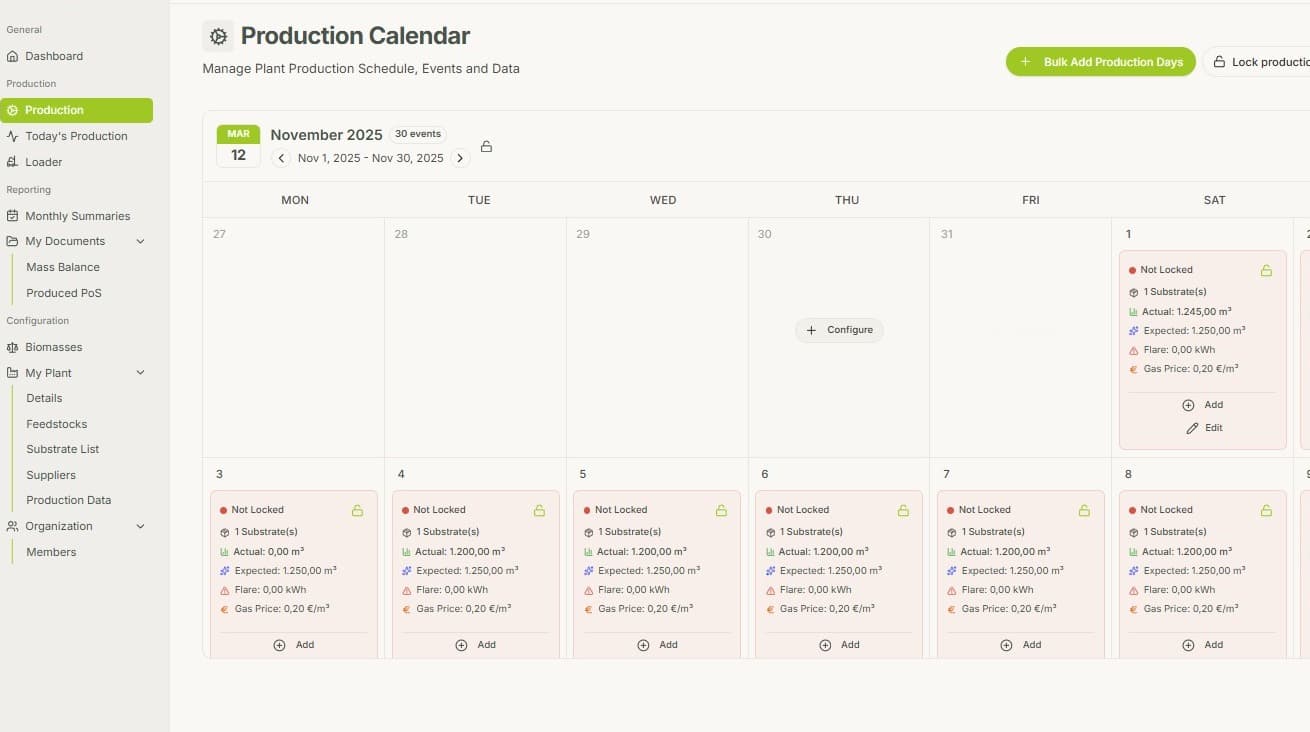
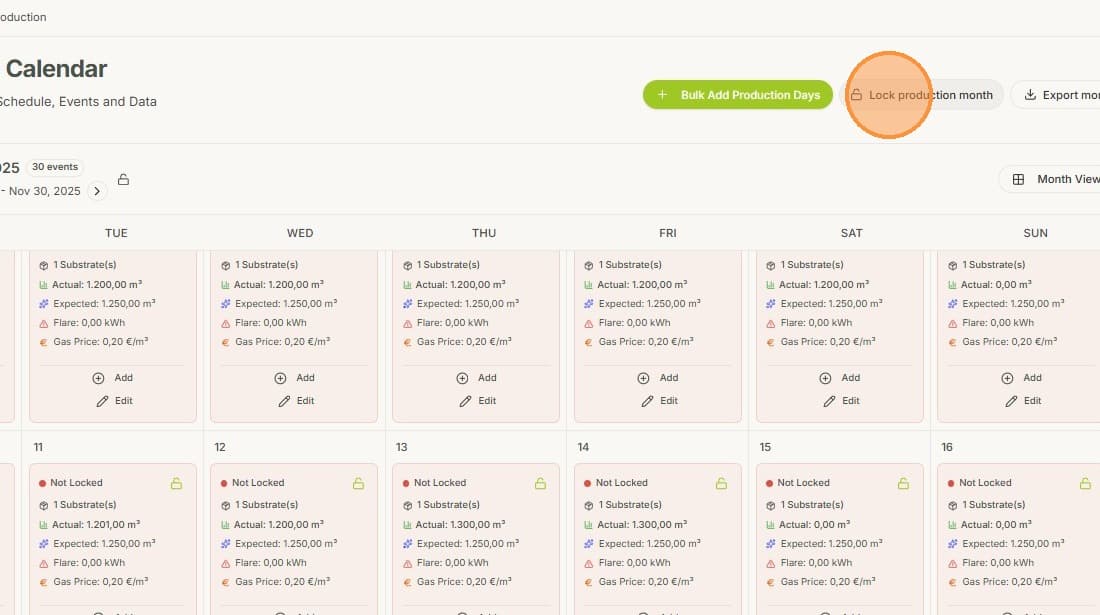
2. Make sure, that for every day in the production month, the actual production volumes have been entered. Then click "Lock production month"
3. Insert the total amount of Gas injected to the Gas Grid as well as the total External Offtake amount. Both have to be entered in kWh (Higher Heating Value).
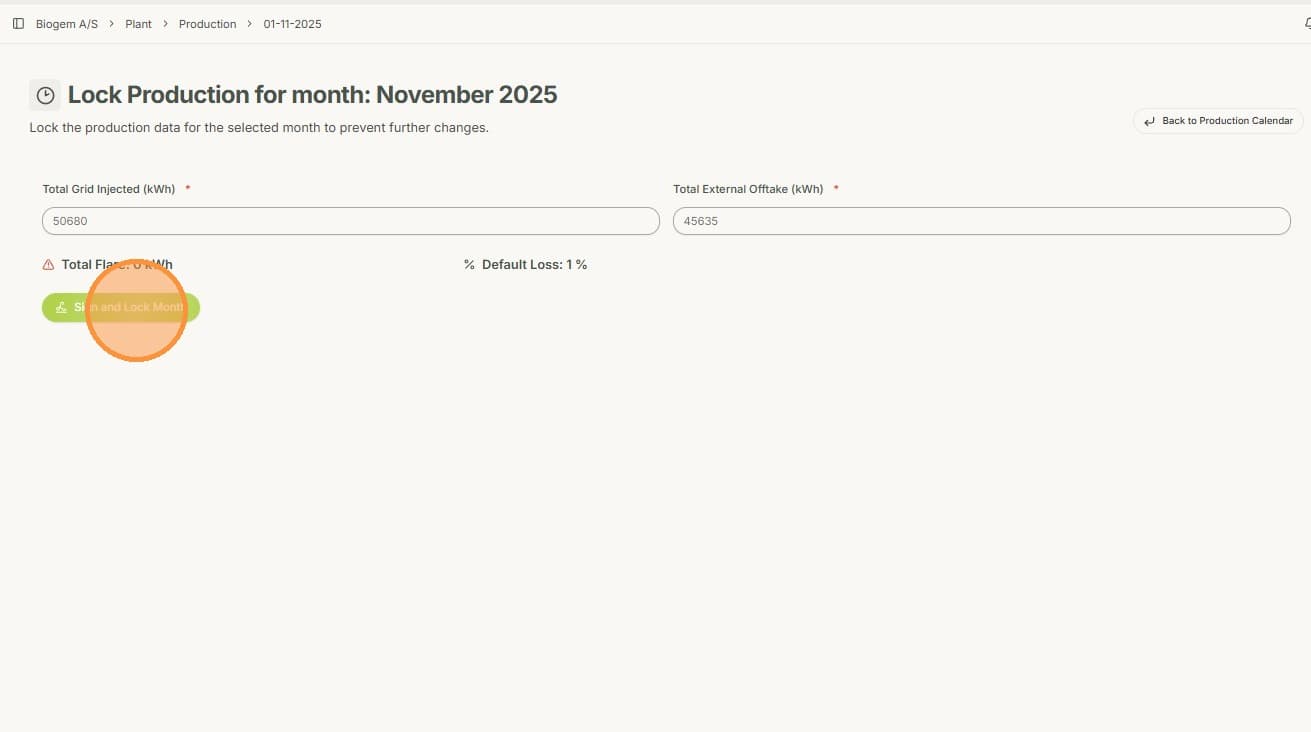
4. You will be asked to sign the final Mass Balance Statement. Verify the correctness of the numbers and sign the document, in case everything is good. In case you see a mistake, go back to correct it.
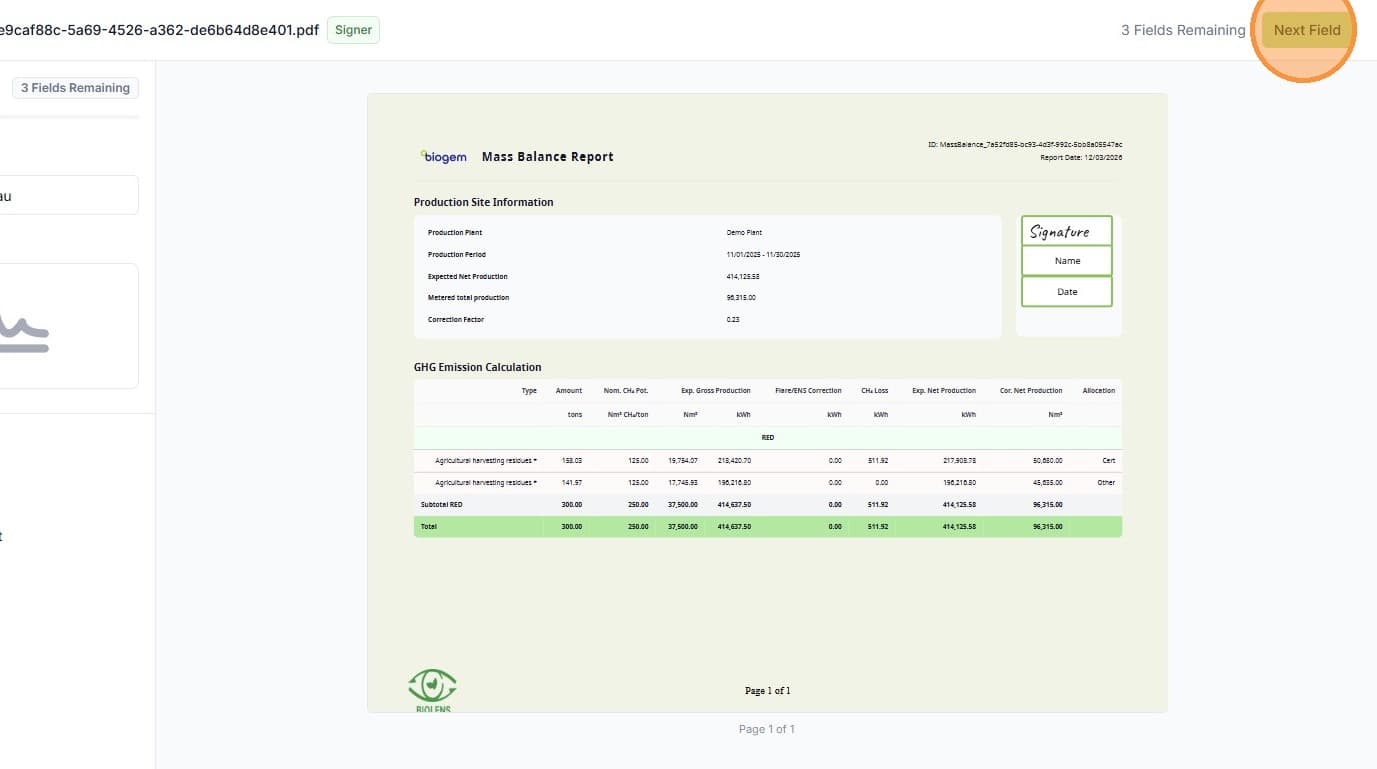
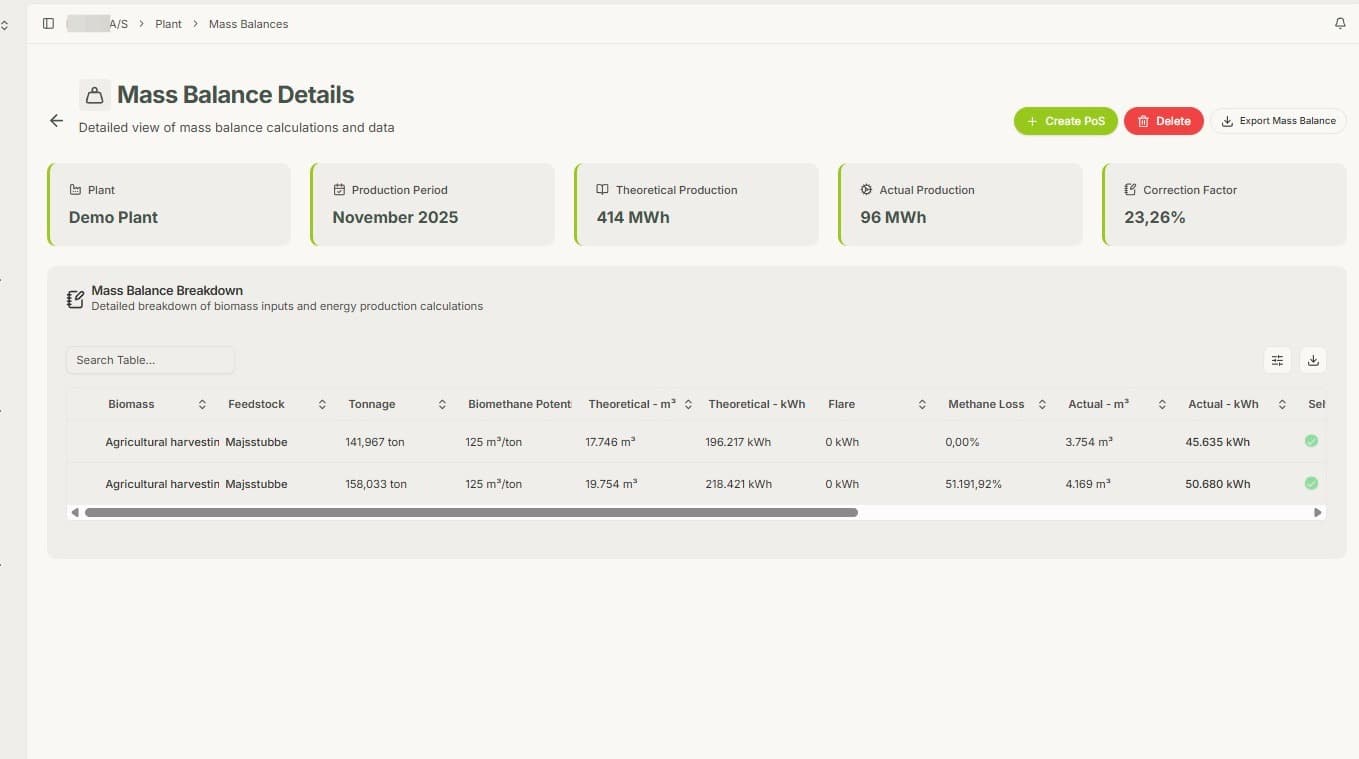
5. Now the Mass Balance for your selected month has been officially created. Here you can see all the details of your mass balance.