Back to category
Plant
January 2026
Lock Production Day
Temporary Description
Lock Production Day
There are multiple ways to lock a production day.
Locked production days can be unlocked as well.
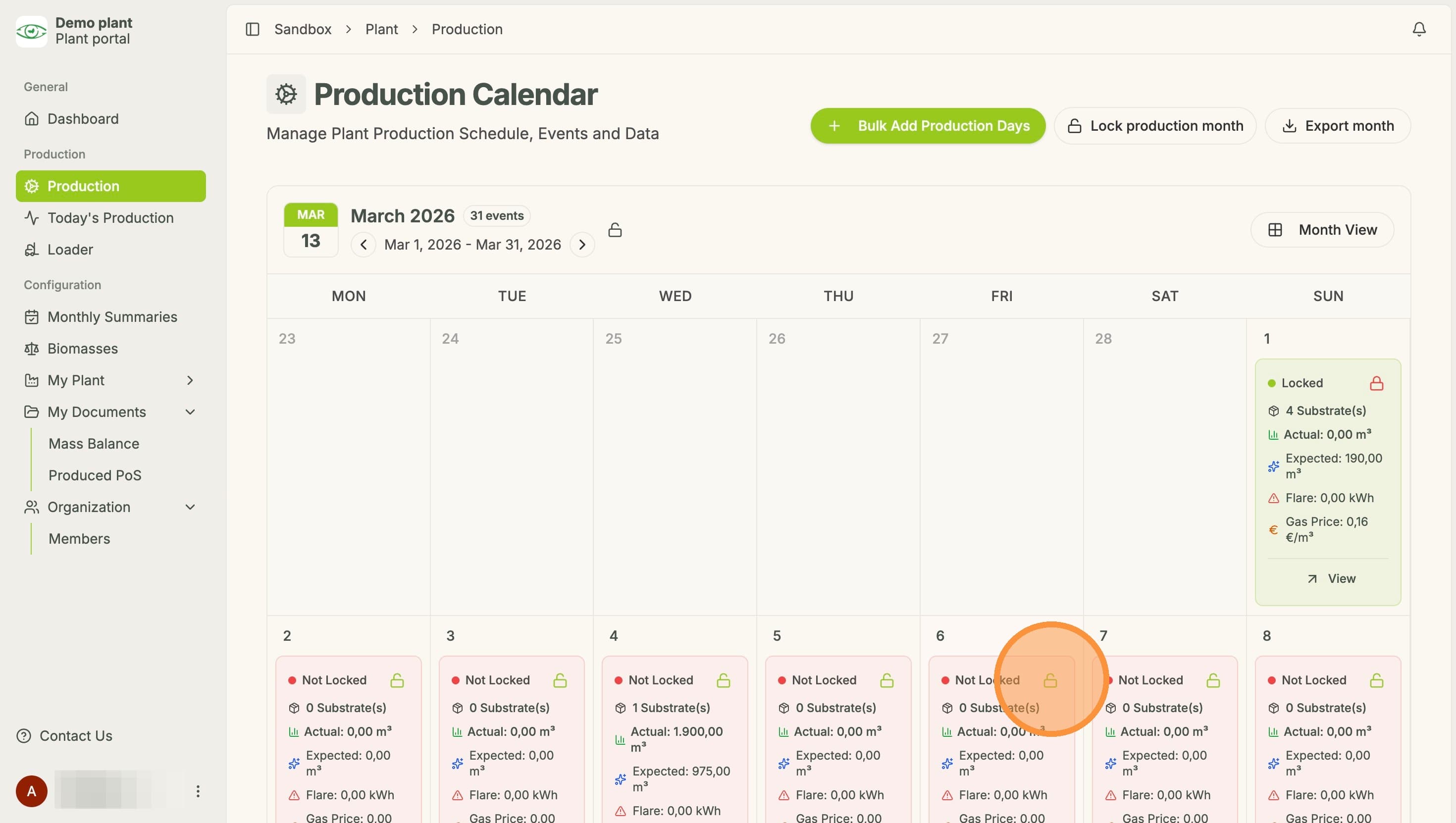
Tip! Locked Production days appear green and have a closed lock Symbol, while unlocked production days appear red and have an open lock symbol.
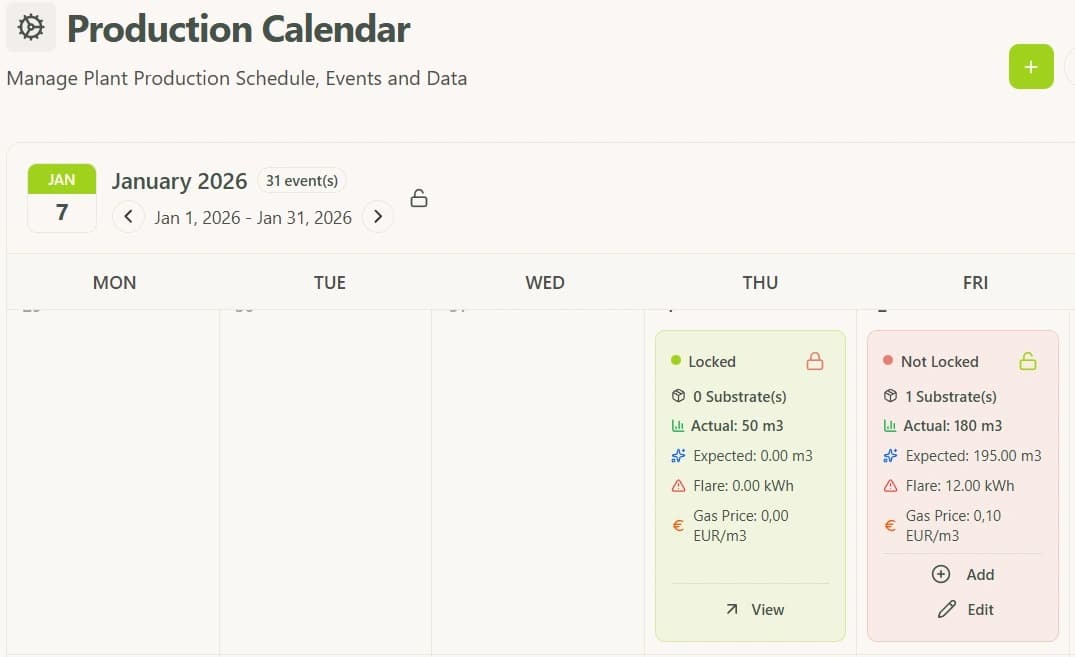
Option 1:
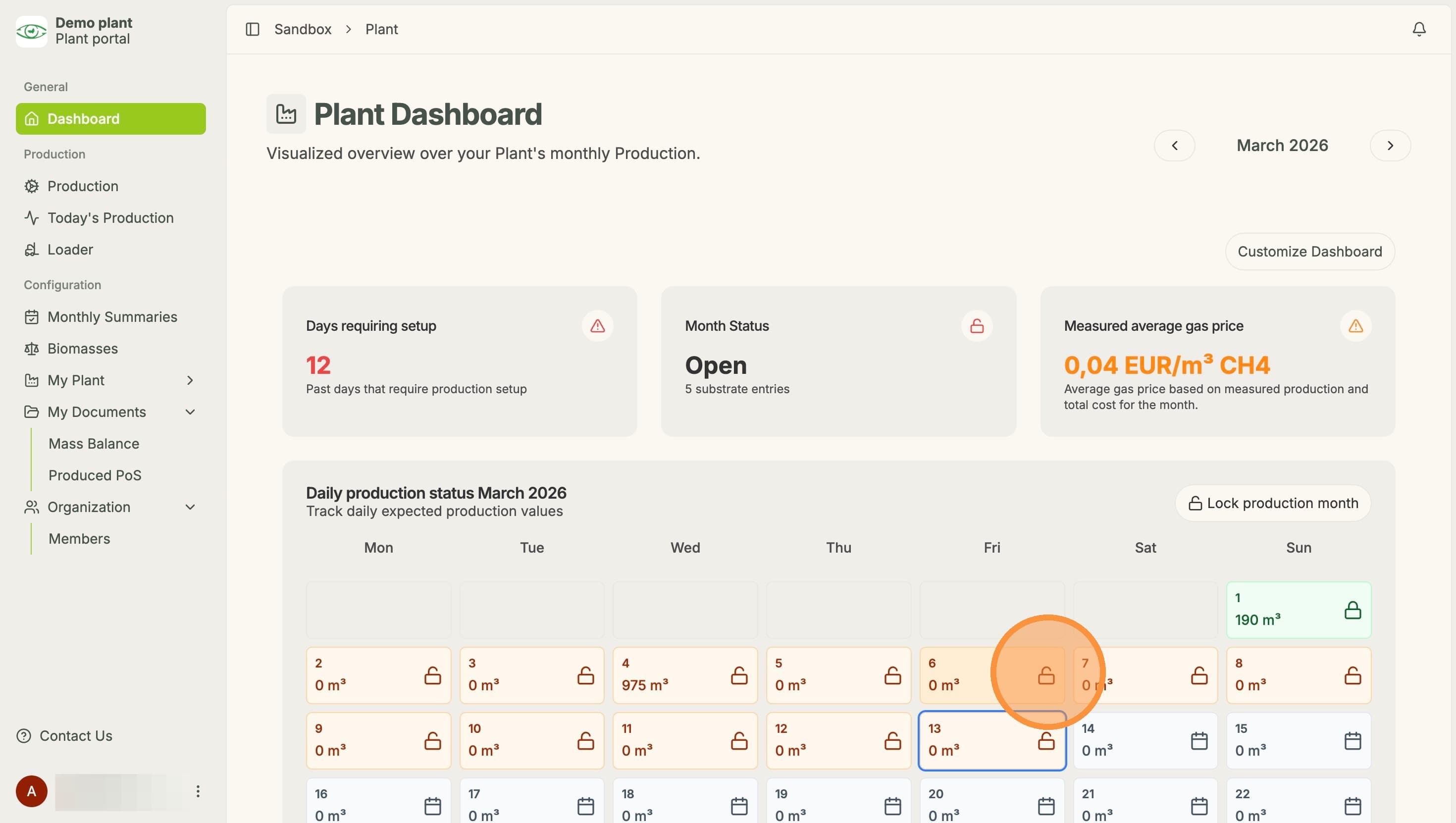
In the Overview Dashboard, on the specific day, click the lock symbol.
Hint: This only works when the day is red and therefore unlocked at the moment. You cannot unlock the green days via this way.
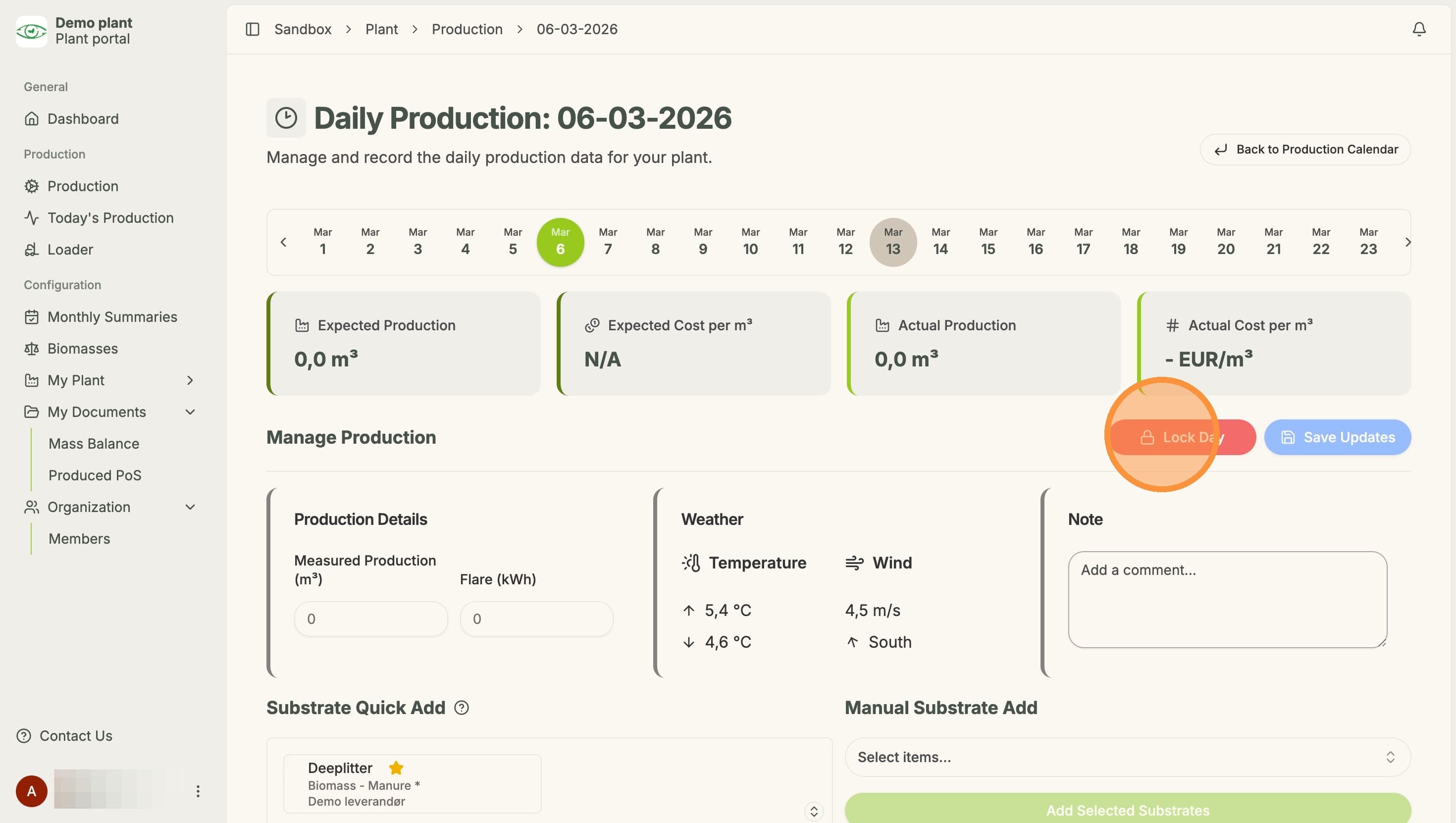
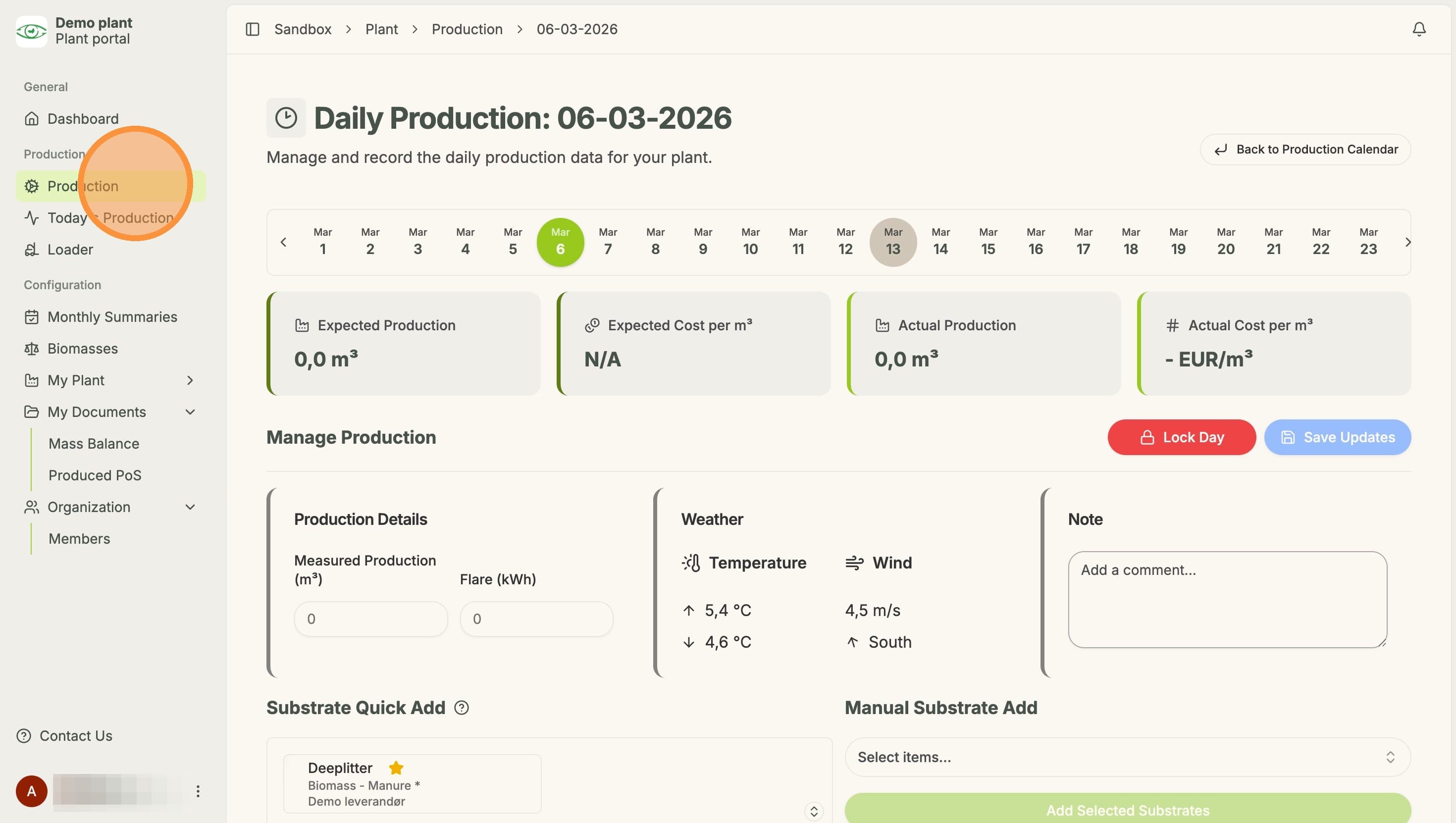
It will then take you to the detail view of the specific day. There you can click "Lock Day", which will lock the specific day.
Option 2:
Go to the "Production" page
There, for the respective day, click on the lock symbol. This will lock this specific day instantly